
Introduction
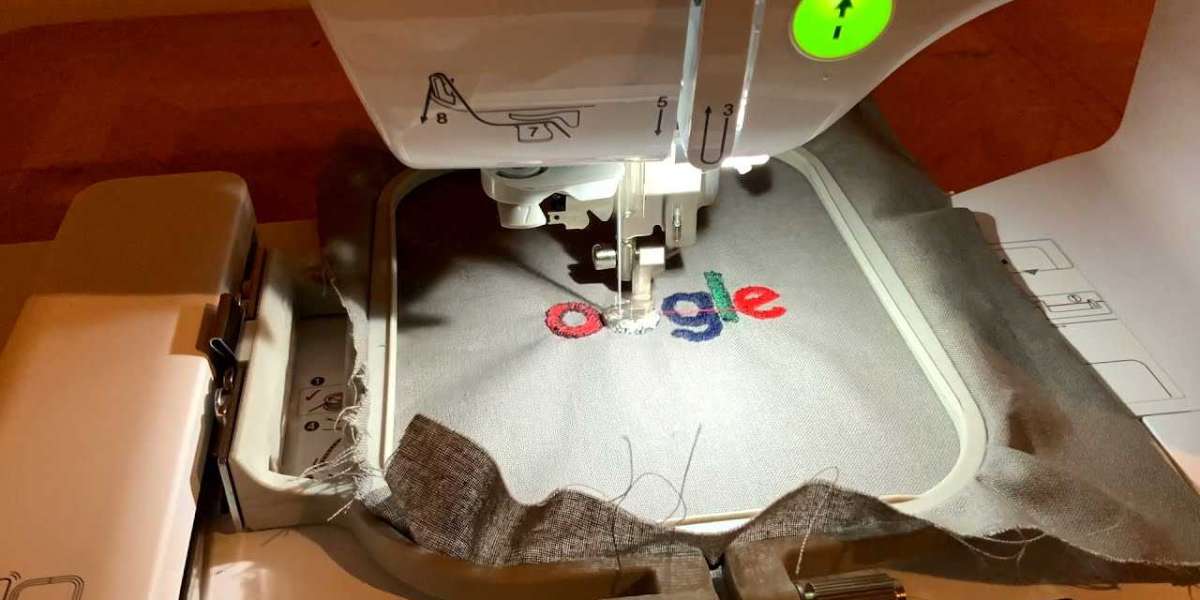
Have you ever spent hours setting up an embroidery project only to watch your Pfaff machine produce a design that looks nothing like your original logo? The thread breaks constantly, the letters are misaligned, and the entire thing looks like a mess. This happens more often than you might think, and the problem usually starts long before the needle hits the fabric. The truth is that Logo Conversion for Pfaff Embroidery Machines requires specific attention to detail that many digitizers overlook. If you want crisp, professional results that make your brand shine, you need to understand the unique requirements of Pfaff machines and how to optimize your digital files for flawless stitching. Let's walk through exactly what you need to do to transform your artwork into embroidery perfection.
Understanding Pfaff Machine Specifications
Before you dive into the conversion process, take a moment to understand what makes Pfaff machines different. These German-engineered machines have particular preferences when it comes to stitch density, underlay settings, and thread tension. They run smoothly with designs that use proper pull compensation and have clean, simple pathing. When you ignore these specifications, your machine fights the design instead of flowing with it.
Each Pfaff model has slightly different capabilities. Some handle small lettering better than others, while some excel at detailed fills. Check your machine manual for the maximum stitch count and recommended density settings. This information saves you countless headaches down the road. A design that works beautifully on a Brother machine might cause thread shredding on a Pfaff because of the different tension mechanisms.
The Critical Role of Digitizing Software
Your choice of digitizing software dramatically affects stitch accuracy. Professional-grade software like Wilcom, Pulse, or Hatch gives you the control needed to fine-tune every aspect of your design. Free or basic software often lacks the precision tools required for Pfaff compatibility.
When you convert logo for Pfaff embroidery machines, invest time in learning your software's advanced features. Master the pull compensation tool, which automatically adjusts for fabric distortion. Learn how to set proper underlay stitching to stabilize your fabric. Understand the difference between satin, fill, and run stitches, and when to use each type. These skills separate amateur results from professional work.
Many digitizers rush through the software settings, assuming the default values work fine. They don't. Pfaff machines respond best to slightly adjusted density settings, typically around 4.0 to 4.5 for fills and 2.5 to 3.0 for satin stitches. Experiment with these numbers on scrap fabric before committing to your final project.
Pre-Conversion Artwork Preparation
Your original logo artwork likely wasn't created with embroidery in mind. Graphic designers use gradients, fine details, and tiny text that look great on screens but translate poorly to thread. Before you even open your digitizing software, clean up your artwork.
Simplify complex gradients into solid colors. Embroidery can't replicate smooth color transitions, so choose 2 to 3 shades that capture the essence of your logo. Enlarge small text until it reaches at least 6 millimeters in height. Any smaller and the letters become illegible blobs. Remove drop shadows, glows, and other effects that require digital rendering. What looks beautiful on a website becomes a stitching nightmare on fabric.
Create a high-contrast version of your logo that clearly defines each shape. This helps your digitizing software correctly interpret the design elements. If possible, get your artwork in vector format like EPS or AI files. Vector files scale perfectly and maintain crisp edges, making the conversion process much smoother.
Choosing the Right Stitch Types
Different logo elements need different stitch treatments. Solid background areas typically use fill stitches, which consist of parallel rows of thread that cover large spaces. Text and borders usually need satin stitches, which create a smooth, shiny surface. Small details work best with run stitches, which use minimal thread and create fine outlines.
When you convert logo for Pfaff embroidery machines, remember that these machines prefer satin stitches for lettering. The compact zigzag pattern creates clean, readable text that stands out. For large filled areas, use tatami or pattern fills instead of dense brick fills. Pfaff machines handle these lighter fills better and experience fewer thread breaks.
Consider the fabric type too. Thick materials like denim or canvas need heavier underlay and looser top stitches. Lightweight fabrics like silk or polyester require lighter densities to prevent puckering. Adjust your stitch types accordingly for each material you plan to use.
Mastering Pull Compensation
Pull compensation might be the most important concept in embroidery digitizing. When the needle penetrates fabric, it pulls the material slightly in the direction of the stitching. Without compensation, your final design appears distorted and narrower than intended. This effect becomes especially noticeable with dense fill areas and curved lettering.
Set your pull compensation between 0.2 and 0.4 millimeters for most designs. Test this on fabric similar to your final material. If you notice gaps between shapes, increase the compensation. If shapes overlap or look bulky, decrease it. Each design and fabric combination requires slight adjustments, so never assume one setting works for everything.
Pfaff machines have responsive tension systems that handle moderate pull compensation well. However, excessive compensation confuses the machine and leads to thread looping or needle deflection. Find the sweet spot where your design stitched cleanly without visible distortion.
Underlay Settings That Make a Difference
Underlay stitching forms the foundation of your embroidery design. These initial stitches stabilize the fabric and provide a base for the top stitches to sit on. Many digitizers skip proper underlay settings, thinking they waste time and thread. This mistake leads to shifting fabric, misaligned shapes, and ugly gaps in the final product.
Use edge walk underlay for letters and small shapes. This single line stitch follows the outline of your design and anchors the material. For large filled areas, apply zigzag or lattice underlay to create a grid that supports the fill stitches. Adjust underlay density based on fabric weight. Heavier fabrics need denser underlay, while lighter materials need lighter treatment.
Pfaff machines handle underlay stitches smoothly when the density remains moderate. Heavy underlay can cause birdnesting or thread jams, especially during the first few stitches. Start with lighter underlay and test your design before committing to production.
Stitch Direction and Angle Optimization
The direction your stitches travel impacts both appearance and accuracy. Horizontal stitches work well for most shapes, but they can create undesirable shadows or highlights. Rotate your stitch angles to follow the natural contours of your design. Circular shapes benefit from radial stitching, while text looks best with vertical or slight diagonal angles.
Avoid stitching in the same direction across adjacent shapes. This creates visible lines where the two sections meet. Instead, alternate angles by 45 to 90 degrees between neighboring areas. This technique, called segmenting, improves the overall visual quality and helps your design look professionally digitized.
Pfaff machines handle varied stitch directions without hesitation, but they work best when stitch paths stay logical. Long jumps between disconnected areas waste thread and increase the risk of tangles. Plan your stitching sequence to minimize unnecessary movement, keeping the needle path efficient and clean.
Testing and Adjusting Before Production
Never send a design straight from digitizing to production without testing. Stitch a sample on fabric identical to your final material. Examine the results carefully under good lighting. Look for gaps, overlapping stitches, thread breaks, or any signs of poor registration.
Check the back of your fabric too. Excessive looping or messiness indicates tension issues or incorrect density settings. Run the design again with adjustments until the results satisfy your standards. This testing phase takes time, but it prevents disastrous outcomes on expensive materials.
Pfaff machines allow you to adjust tension and speed during test runs. Slow down the machine for complex designs with tight curves or small text. Higher speeds work fine for simple fills and straightforward shapes. Learn to recognize when your design demands extra care and adjust your machine settings accordingly.
Common Mistakes to Avoid
Many digitizers make the same errors when converting logos for Pfaff machines. They use too many small stitches, which increases the risk of thread breakage. They ignore the minimum stitch length setting, creating tiny stitches that overwhelm the machine. They forget to add pull compensation, resulting in distorted final products.
Avoid using more than 10 different colors in a single design. Each color change introduces potential misalignment and increases production time. Stick to 3 to 6 colors for optimal results. Combine similar shades when possible.
Never use auto-digitizing features without manual adjustments. Auto-digitizing works for simple shapes but fails miserably with logos containing text or intricate details. Always review and refine the auto-generated paths to ensure they align with Pfaff machine preferences.
Finalizing Your Design
Once you complete your test runs and adjust all settings, save your design in the appropriate file format. Pfaff machines commonly use PES, DST, or EXP formats. Verify which format your specific model requires before finalizing. Include proper color changes and thread trimming commands to streamline production.
Document your successful settings for future reference. Note the fabric type, density values, underlay choices, and any special adjustments. This record becomes invaluable when you convert logo for Pfaff embroidery machines again.
Conclusion
Achieving stitch accuracy when you convert logos for Pfaff embroidery machines requires careful attention to digitizing details, machine specifications, and fabric considerations. The process involves much more than simply pressing a button in your software. You need to actively manage stitch types, pull compensation, underlay settings, and stitch directions to produce professional results.
Start by understanding your Pfaff machine's capabilities and limitations. Prepare your artwork thoroughly before digitizing, simplifying complex elements and ensuring clear contrast. Choose the right stitch types for each design component and fine-tune your pull compensation through testing. Never skip the sample stitching phase, as real fabric testing reveals issues that digital previews miss.
Remember that each design presents unique challenges, so remain patient and willing to experiment. The extra time spent perfecting your conversion process pays off in superior embroidery quality, fewer production issues, and designs that genuinely represent your brand. With practice and attention to these techniques, you will consistently produce accurate, beautiful embroidered logos that make your Pfaff machine perform at its best.