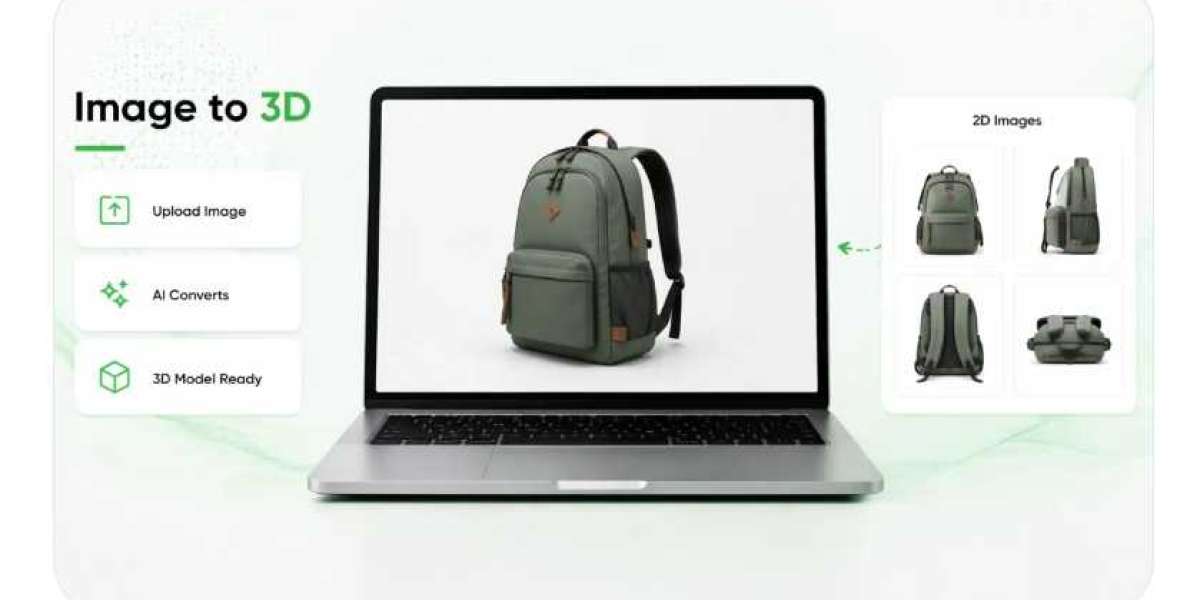

Three-dimensional digital content begins long before a model appears on a screen. In many production workflows, the process starts with something familiar: a photograph. The quality, angle, lighting, and level of detail captured in that image can influence how effectively a digital representation communicates the appearance of a real object. As businesses look for more practical ways to develop interactive product experiences, source photography has become an important consideration in the transition from conventional visual assets to more advanced digital formats.
For retailers, manufacturers, designers, and marketing teams, this relationship creates both opportunities and challenges. Existing product photographs can provide a useful foundation for creating new digital resources, but not every image contains enough information to support an accurate three-dimensional result. Understanding the strengths and limitations of source photography helps businesses make better decisions before investing in modeling tools, automated conversion systems, or augmented reality experiences.
Rather than treating photography and three-dimensional content as separate activities, companies can approach them as connected stages of a broader visual production process. A carefully captured image may reduce the amount of correction required later, while an organized photography workflow can make it easier to develop consistent digital assets across an entire product range.
Why the First Image Influences the Final Result
A photograph records an object from a particular viewpoint. It captures visible contours, surface colors, shadows, textures, and the relationship between different parts of the product. These details help viewers recognize the object, but they also provide visual information that software may use when generating a digital representation.
The challenge is that a two-dimensional image does not contain every detail of a three-dimensional object. A front-facing photograph of a chair, for instance, cannot fully reveal the structure of its back, the depth of its seat, or the shape of components hidden from view. Even when the object is familiar, missing information must be estimated, supplied through additional references, or reconstructed through other methods.
This limitation explains why source selection deserves attention before any conversion work begins. A sharp, well-lit photograph with clearly visible edges usually offers a stronger starting point than an image containing heavy shadows, motion blur, or distracting surroundings. Nevertheless, visual clarity alone does not guarantee an accurate model. The source must also reveal the characteristics that matter for the intended use.
Businesses that understand these requirements can make more informed choices about which photographs to reuse and which products need additional photography. This preparation helps establish realistic expectations and can prevent avoidable problems during later production stages.
Preparing Photography for Digital Transformation
Traditional product photography is often designed to attract attention and communicate a brand's visual identity. Images may include dramatic lighting, reflective backgrounds, carefully arranged props, or creative camera angles. These choices can be effective in advertisements, but they may not always be suitable for automated three-dimensional reconstruction.
A source image intended for digital modeling often benefits from a clear view of the object, balanced lighting, and a background that does not compete with its outline. The product should be distinguishable from nearby elements, particularly when its edges blend easily into the surroundings. Unnecessary reflections and deep shadows can also make it harder to interpret the object's shape.
This does not mean that every product needs to be photographed against a plain white background. The appropriate setup depends on the object's material, complexity, and intended digital application. A transparent glass item, for example, presents different challenges from a matte plastic container or a fabric-covered chair.
Before processing an image, teams should check its resolution, cropping, orientation, and overall condition. They should also confirm that the photograph represents the correct product version. A source image showing an older design or discontinued finish can produce digital content that misrepresents what customers will actually receive.
These checks may seem routine, but they can have a meaningful effect on production efficiency. Correcting a source image early is often more straightforward than identifying and repairing the same issue after a model has been generated.
Choosing Technology That Matches the Source Material
Businesses exploring a 2d to ar converter should begin by understanding what the selected technology can do with the available photographs. Tools in this category can vary considerably. Some may transform prepared visual assets into an augmented reality presentation, while others may support image-based reconstruction or connect existing digital models to interactive viewing experiences.
These differences matter because converting an image into an AR-enabled experience is not always the same as reconstructing a complete three-dimensional object. Some workflows rely on an existing model, while others use automated processes to estimate shape and depth from visual information. The most suitable method depends on whether the business needs a flat image displayed in an interactive setting, a rotatable object, or a model that can be positioned within a real environment.
A company selling packaged consumer goods may prioritize speed and consistency across a large catalog. A manufacturer of specialized equipment may need more precise geometry and additional reference material. A furniture retailer could require accurate proportions so customers can better judge how a product might fit into their homes.
Evaluating technology against these practical requirements helps prevent unrealistic expectations. Businesses should ask what input formats are accepted, whether extra views are necessary, how outputs can be reviewed, and whether the final content works on the devices used by their customers.
The goal is to choose a workflow that suits the product and its purpose, rather than selecting a tool simply because it promises a quick transformation.
How Images Contribute to Three-Dimensional Reconstruction
Creating a three-dimensional representation from photography involves interpreting visual clues and estimating the object's form. Depending on the method, software may analyze outlines, surface patterns, shading, and relationships between visible features. When multiple photographs are available, the additional viewpoints can provide more information about the object's shape.
A workflow described as Image to 3D may use automation to generate an initial model from one or more images. The resulting geometry and textures can then be assessed and adjusted where necessary. Although this approach can make model creation more accessible, its output still depends on the quality of the source material and the capabilities of the software.
Objects with simple shapes may be relatively straightforward to represent. A rectangular storage box, for example, has recognizable surfaces and a predictable overall structure. An ornate lamp with curved elements, narrow supports, and transparent components presents a more complicated task because some of its features may be difficult to infer from a single view.
Materials also affect reconstruction. Glossy metal can reflect nearby objects, while glass may allow the background to remain visible through the product. Soft fabrics can contain irregular folds that change with lighting and camera position. These characteristics can complicate attempts to separate the object's actual appearance from the visual effects created during photography.
For this reason, automated output should be treated as a draft when accuracy matters. Reviewing the generated model against reliable product references allows teams to identify missing features, distorted proportions, or textures that do not match the physical item.
Lighting and Surface Detail Require Careful Attention
Lighting affects how a product appears in a photograph, but the shadows and highlights in an image do not necessarily describe the object's physical surface accurately. A dark region might indicate a recessed feature, or it might simply be a shadow cast by a nearby component. Similarly, a bright highlight on polished material may reflect the surrounding studio rather than the product's underlying color.
These distinctions become important when visual information is translated into digital form. If a reconstruction process interprets a temporary lighting effect as part of the object's structure, the resulting model may contain unwanted irregularities. Incorrect texture interpretation can also make a product appear different from its real-world counterpart.
Consistent lighting can reduce some of these problems. Diffused illumination often helps reveal surface details without creating excessively harsh shadows. For products with reflective or transparent materials, photographers may need a more specialized setup and several reference angles.
Color management is another consideration. Different cameras, displays, and image-processing systems can reproduce colors differently. Businesses should avoid assuming that a generated texture will automatically match the physical product under every viewing condition.
Where color accuracy is important, visual review should be supported by appropriate product references and consistent production standards. These measures are especially useful for businesses selling finishes, fabrics, cosmetics packaging, home accessories, and other items where appearance strongly influences customer expectations.
When One Photograph Is Not Enough
A single image can be convenient, especially when a company already has a large photography library. However, convenience must be balanced against the information required to create the intended result. One photograph may show the front of a product clearly while leaving its depth, rear structure, or hidden connections unknown.
Additional photographs can help fill these gaps. Front, side, rear, and three-quarter views may reveal features that are not visible from a single angle. For products with moving parts or multiple configurations, further references can clarify how the components relate to one another.
The number of images needed depends on the chosen reconstruction method. Some systems are designed to generate plausible results from limited input, while others require several views or a more structured capture process. A professional modeling workflow may also combine photography with measurements, technical drawings, or existing computer-aided design files.
Businesses should therefore define the required level of accuracy before deciding how much source material to collect. A promotional visualization may tolerate some simplification, whereas a model intended to communicate precise dimensions needs stronger verification.
Developing a repeatable photography standard can make this process easier. Teams can specify which angles to capture, how to label each file, and what details must remain visible. Once established, the standard can be applied to new products instead of creating a different capture process every time.
Managing Accuracy Across Large Product Collections
Producing three-dimensional assets for a handful of products is different from preparing content for thousands of catalog entries. At a larger scale, inconsistent photography can lead to unpredictable results, additional editing, and delays in publication.
A business may discover that one product has clear front and side photographs, another has only a cropped promotional image, and a third is represented by several files with inconsistent lighting. These differences make it difficult to apply one automated workflow across the collection.
An organized source library can help address the problem. Each product should have identifiable image files, clear version information, and links to relevant specifications. Teams should know whether an image represents a current product, a particular color variation, or an earlier design.
Quality checks can then determine whether an item is ready for automated processing or requires additional photography. Products that meet the source requirements can move through the standard workflow, while exceptions receive individual attention.
This approach makes automation more practical because it reduces the number of unexpected issues encountered during production. It also helps teams identify recurring weaknesses in their photography process and improve future image capture.
Importantly, consistency does not require every product to receive identical treatment. A straightforward object may need minimal preparation, while a complicated product could require specialist modeling and detailed review. A flexible workflow can support both without sacrificing overall quality.
From Digital Models to Useful Customer Experiences
A successful three-dimensional model is valuable only when it serves a clear purpose. Once a model has been reviewed and approved, businesses can consider how customers will use it. Depending on the platform and file format, the asset may support interactive product viewing, website presentations, augmented reality placement, or other digital applications.
For example, a home improvement retailer might let customers inspect a decorative fixture from several directions before visiting a store. A furniture seller could provide a way to view an appropriately scaled model within a room. A manufacturer might use a digital representation to explain the arrangement of visible components or demonstrate a product's overall structure.
Each application places different demands on the source photography and the final model. An experience that allows customers to examine small details may require more careful texturing than a model viewed mainly from a distance. A product intended for real-world placement may require reliable dimensions and appropriate scale information.
Performance also deserves consideration. Highly detailed models can contain large files that take longer to load on mobile connections. Businesses need to balance visual quality with file size, device compatibility, and ease of interaction.
Clear product descriptions, measurements, and conventional photographs should remain available alongside advanced viewing features. Combining these resources gives customers more than one way to understand the product and avoids making essential information dependent on an interactive tool.
Establishing a Better Photography-to-Model Workflow
The most effective process begins with a clear definition of the intended result. Before collecting or converting images, teams should decide whether they need a simple interactive presentation, a detailed three-dimensional model, or an augmented reality experience. This decision determines the type of source material and level of review required.
Next, businesses should assess the photography they already own. Suitable images can be prepared for processing, while incomplete or unsuitable sources can be identified for replacement. Establishing consistent capture guidelines helps reduce similar problems as new products enter the catalog.
After generation, each model should be checked against trusted references. Teams can examine overall shape, proportions, visible components, texture quality, and color representation. Where measurements are important, they should verify dimensions rather than relying exclusively on visual appearance.
The approved asset can then be published through the intended digital channel and tested on representative devices. Loading performance, navigation, viewing controls, and any required camera permissions should be evaluated before customers encounter the experience.
Finally, businesses should review customer interactions and feedback. If shoppers repeatedly struggle to understand a particular feature, the solution may involve better source photography, a revised model, clearer descriptions, or a different presentation format. Continuous improvement allows the production process to become more reliable over time.
Conclusion
Source photography is more than a preliminary ingredient in three-dimensional content creation. It influences the quality of digital reconstruction, determines which product details can be represented, and affects the amount of correction required before publication. Businesses that understand these relationships can make better use of their existing image libraries while identifying where new photography or additional reference material is necessary.
Modern conversion technologies can help transform suitable images into interactive digital assets, but dependable results still require thoughtful preparation, appropriate tools, and careful review. Lighting, materials, camera angles, product complexity, and intended use all influence the process.
By developing consistent photography standards and connecting them with a structured modeling workflow, companies can make three-dimensional content more practical to produce and maintain. The result is not simply a more advanced visual format. It is a stronger foundation for digital product experiences that provide customers with clearer information, useful perspectives, and greater confidence when evaluating their options.